HORIZON 2026
A whole event platform — cinematic launch site, tiered ticketing & checkout, an attendee app, and an organizer back-office.
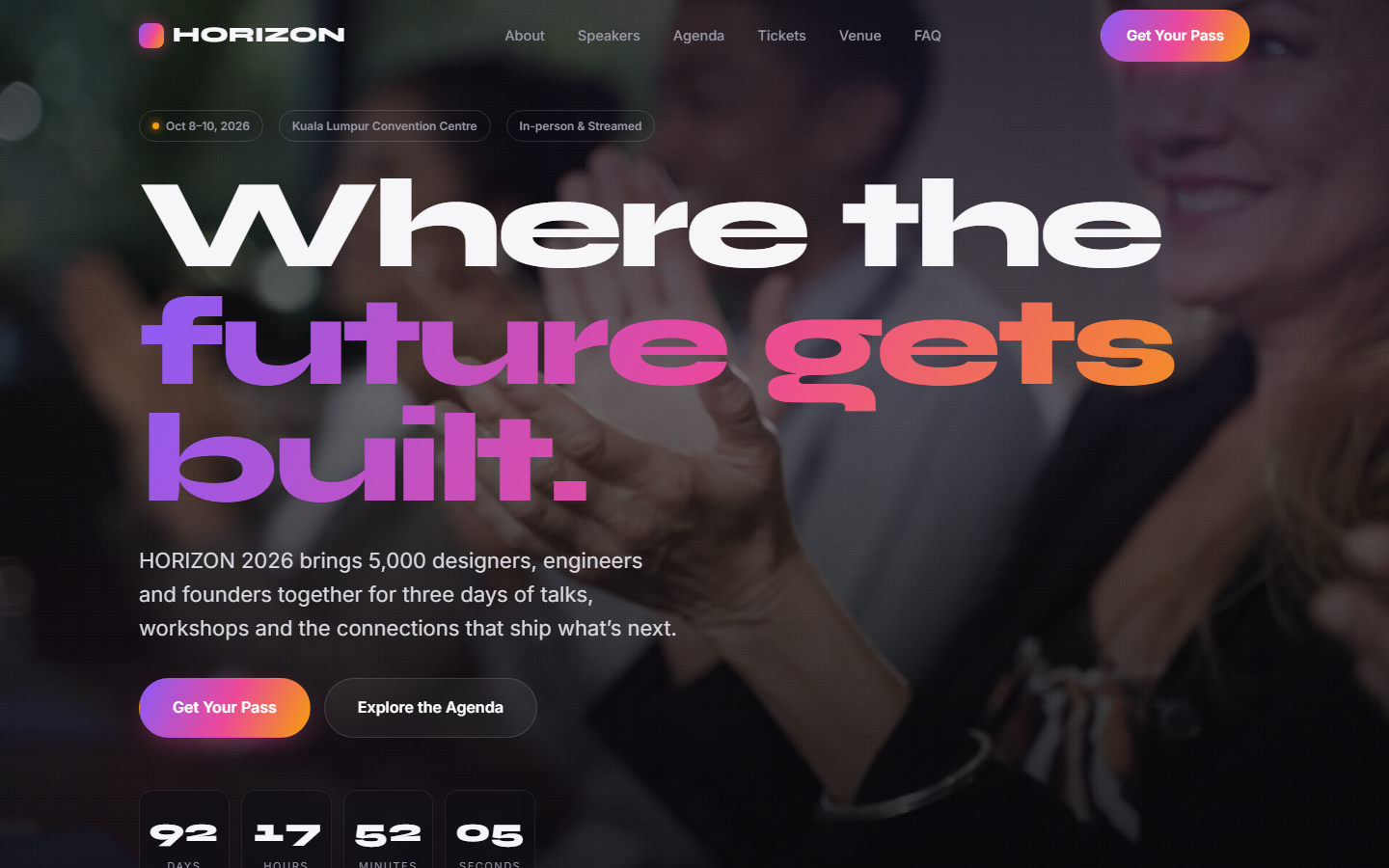

Launching a conference means stitching together a marketing site, a ticketing provider, an attendee app and a door check-in tool — usually four disconnected products, four vendors and four bills, none of which quite match your brand.
HORIZON is the entire thing in one on-brand platform: a cinematic launch site with a background-video hero and live countdown, tiered passes with a full checkout and a digital e-ticket, an attendee portal to build a personal schedule and network, and an organizer back-office for sales, attendees, orders and door check-in.
Everything we built
A closer look at the features that make this a full product, not a landing page.
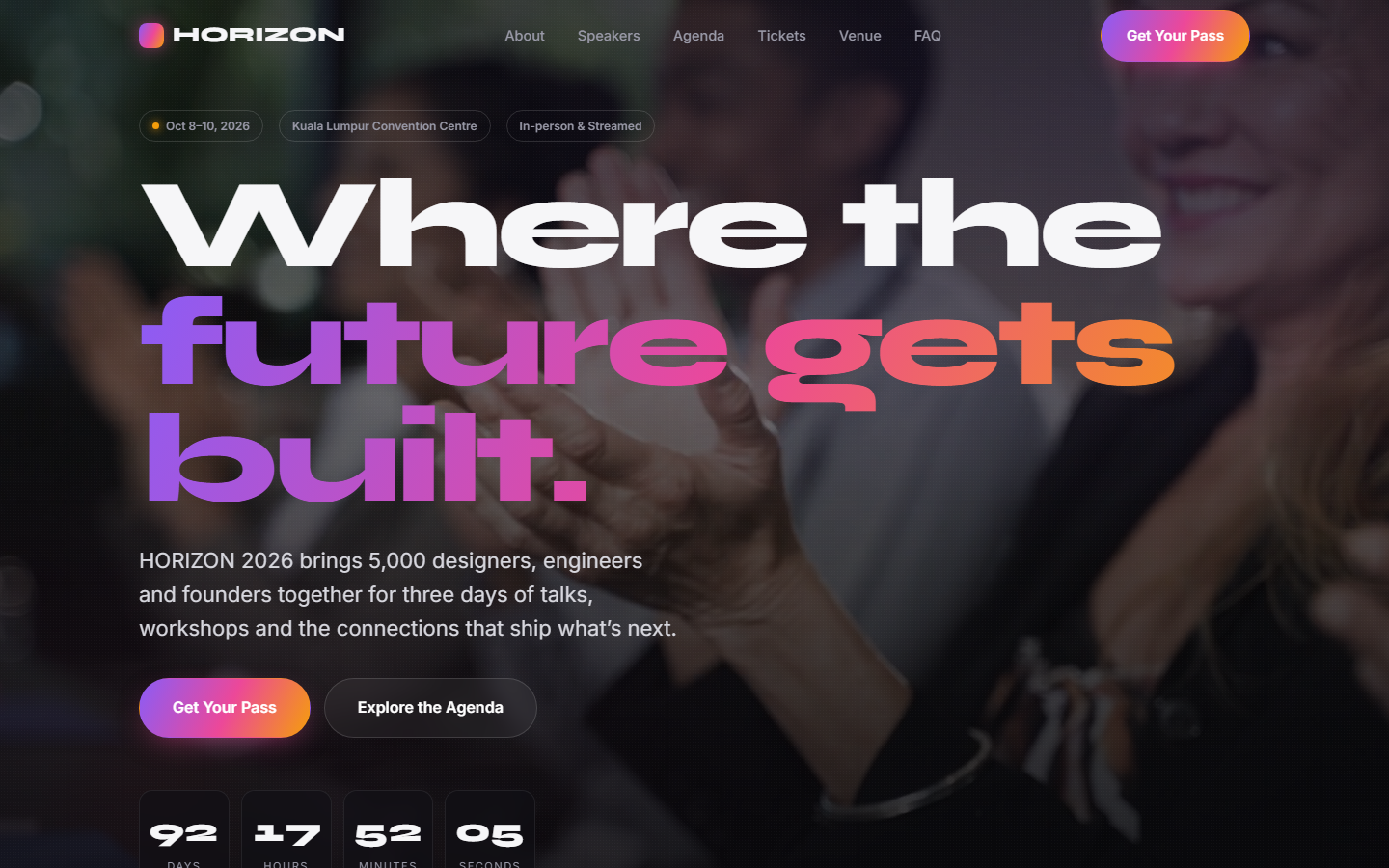
Cinematic launch site
A full-viewport background-video hero, a live countdown to the doors, and richly-built sections for speakers, a three-track agenda, venue and FAQ — the kind of launch page that sells out an event.
- Autoplaying background-video hero
- Live countdown to the event
- Speaker grid, agenda tabs & venue
- Scroll-reveal motion throughout
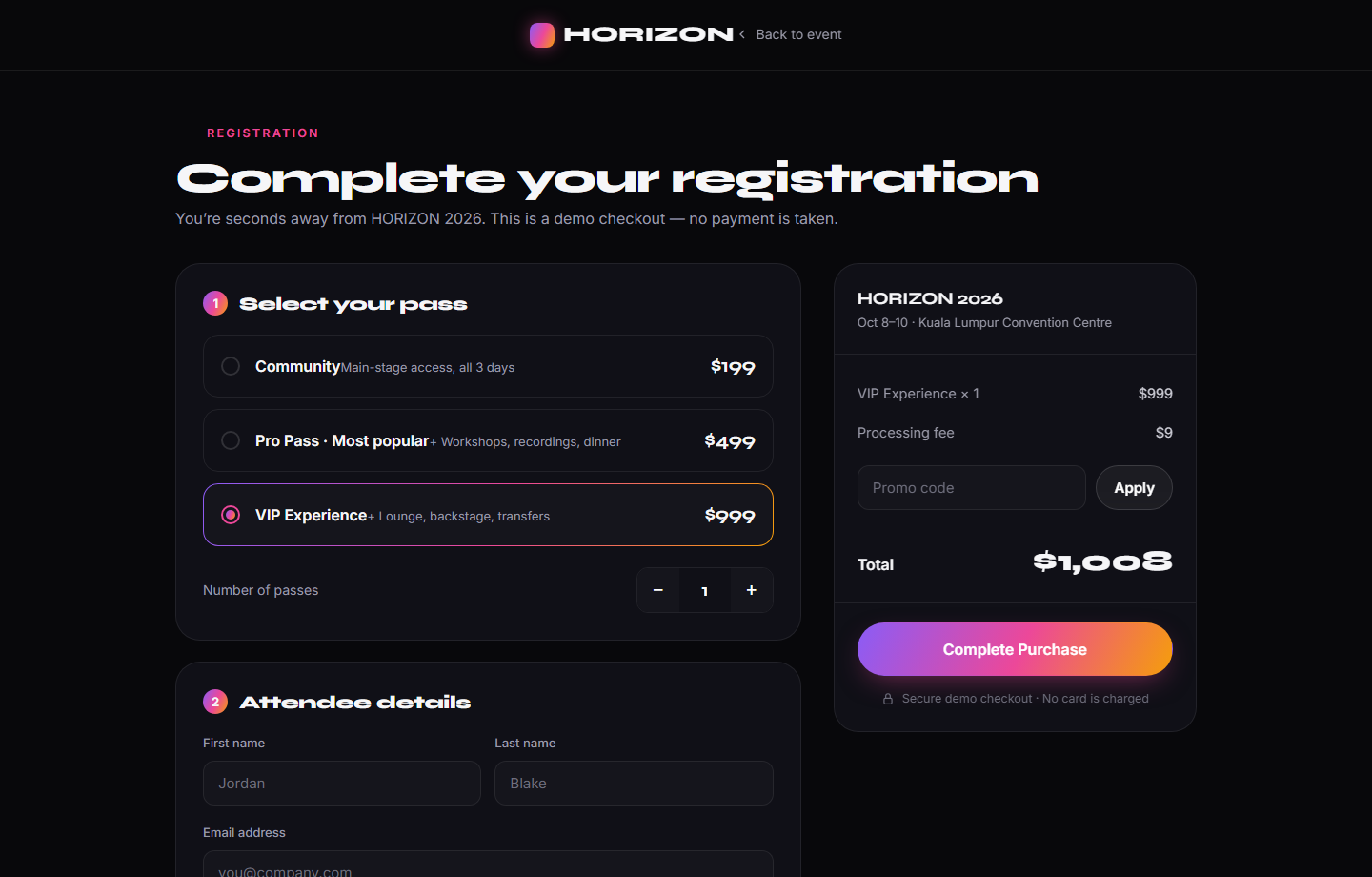
Tiered passes & checkout
Three pass tiers with a featured “most popular”, flowing into a real checkout — tier select, quantity, attendee details and a card-payment mockup — beside a live order summary with working promo codes.
- Community / Pro / VIP pass tiers
- Live-updating order summary
- Working promo codes (try EARLYBIRD)
- Formatted card-payment mockup
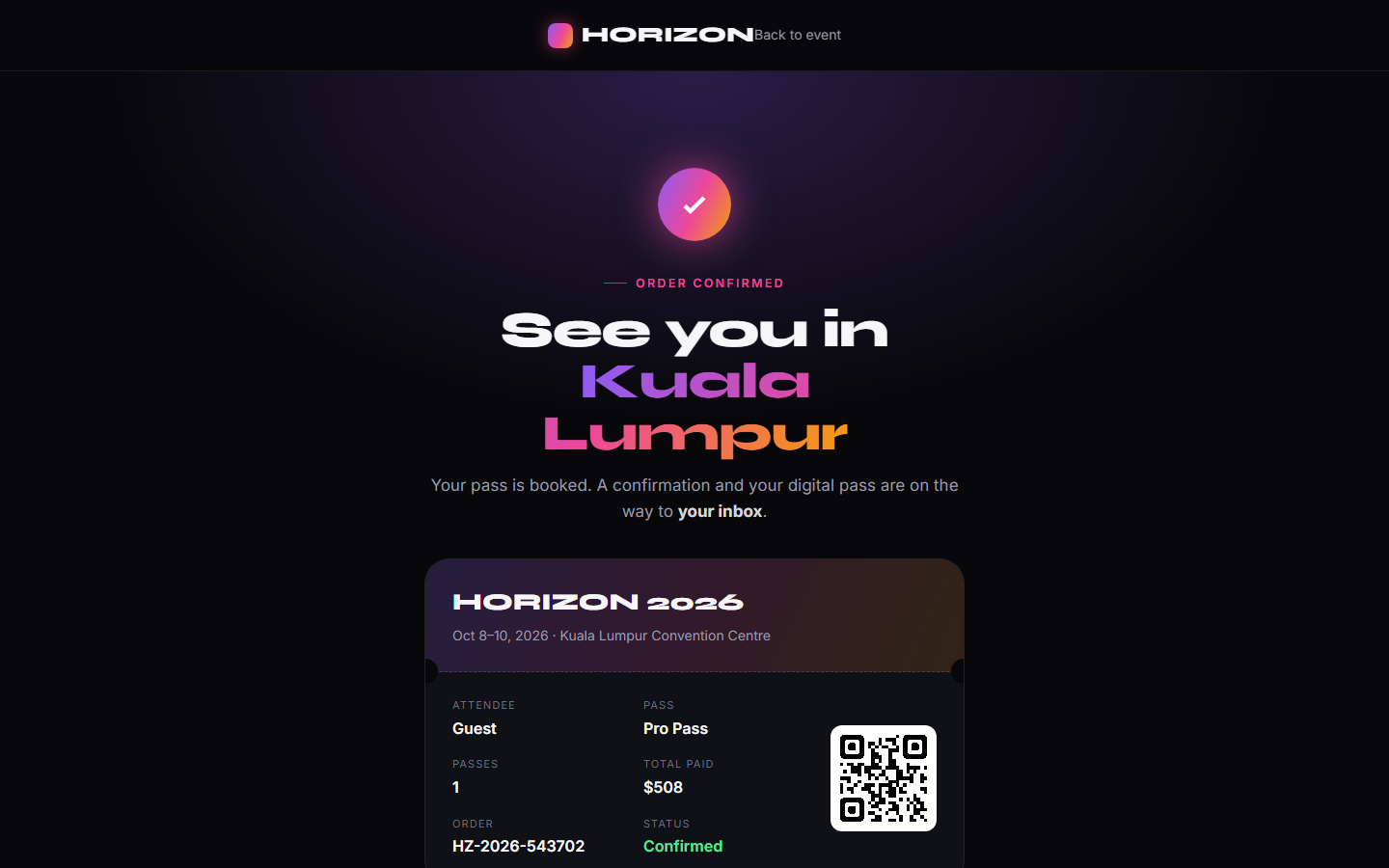
Instant digital e-ticket
Completing a purchase generates an order and a branded confirmation with a scannable QR e-ticket, plus one-tap add-to-wallet and add-to-calendar — the ticket a real attendee shows at the door.
- Generated order & confirmation
- Scannable QR e-ticket
- Add to Apple / Google Wallet
- Add to calendar
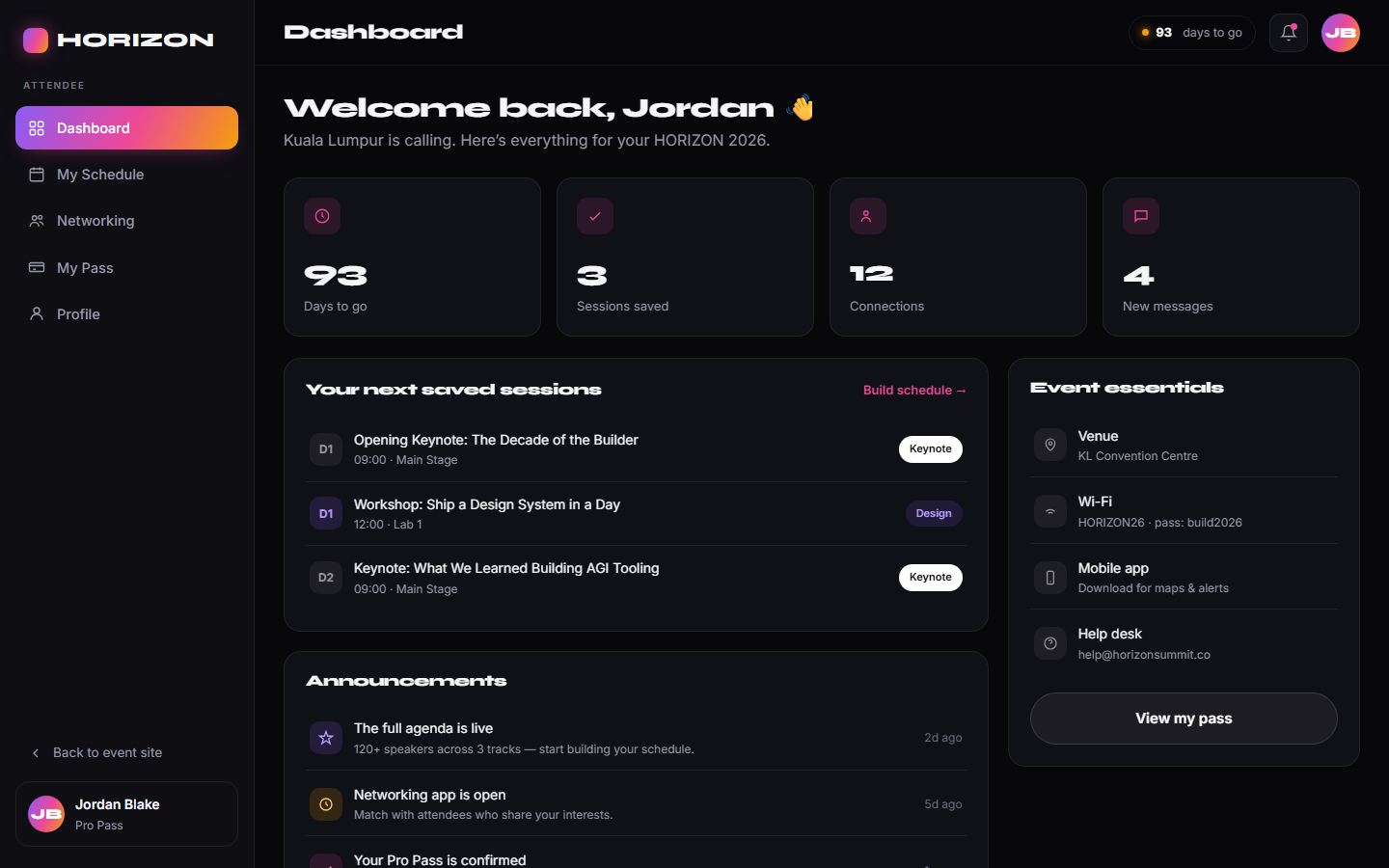
Attendee dashboard
After sign-up, attendees land in “My HORIZON” — their pass and QR, a live countdown, saved sessions, event essentials, announcements and a networking directory to connect before they arrive.
- Personal pass, QR & order
- Saved-sessions & countdown
- Event essentials & announcements
- Attendee networking directory
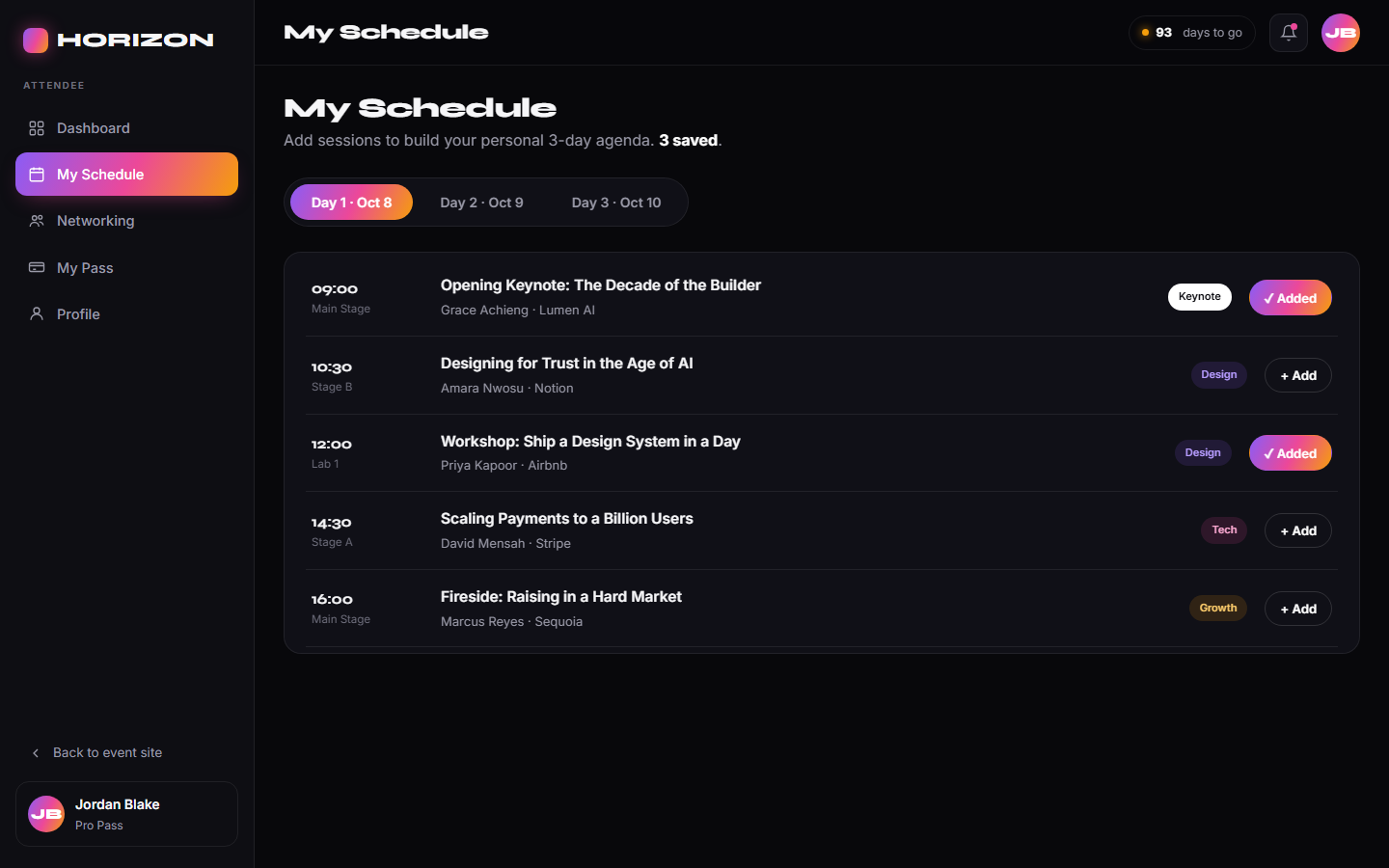
Personal schedule builder
Attendees browse the three-day, three-track programme and add sessions to a personal agenda with one tap — saved across visits — so they walk in knowing exactly where they’re headed.
- Add / remove any session
- Day 1–3, three-track programme
- Persists across visits
- Feeds the dashboard’s next-up list
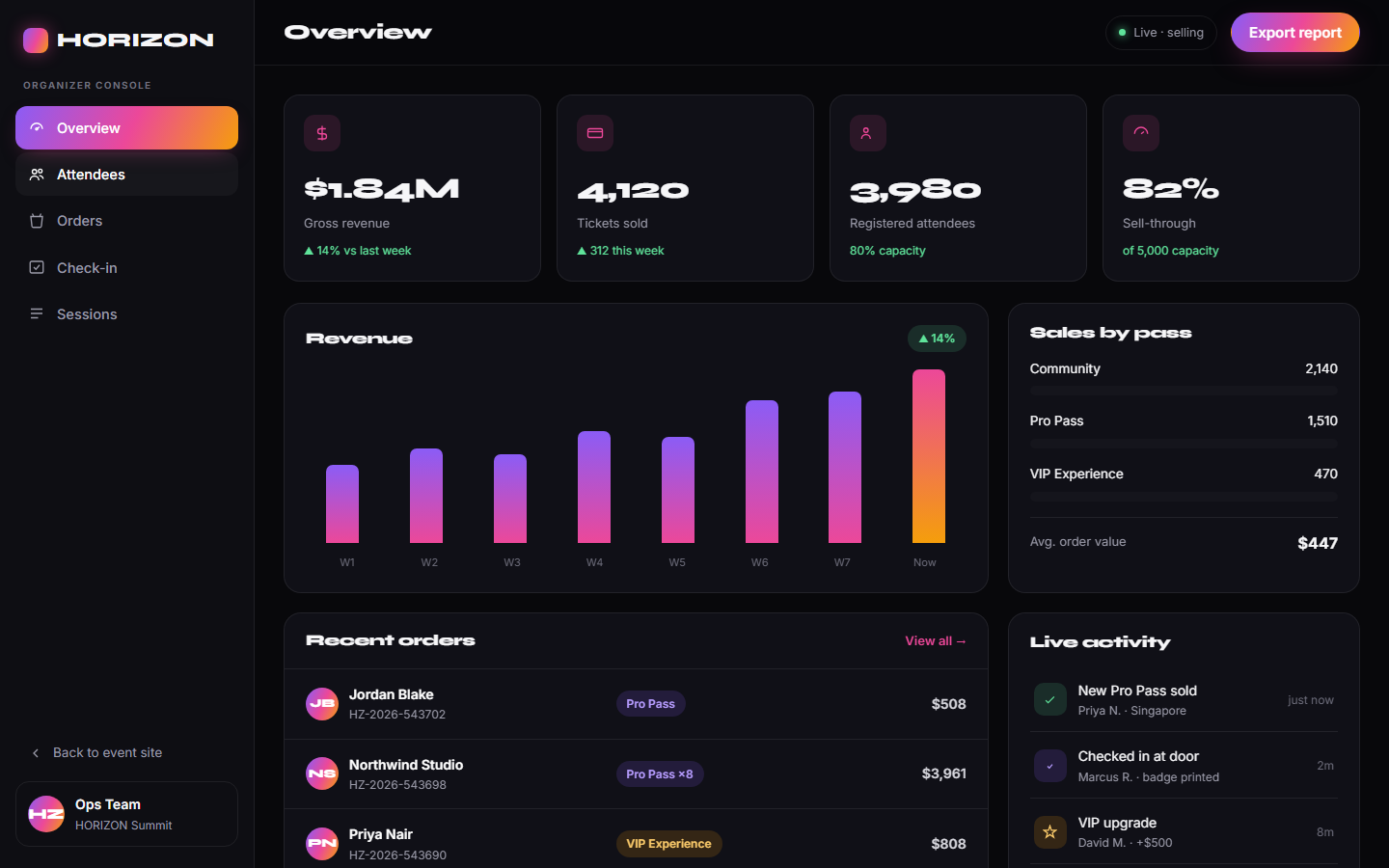
Sales & revenue overview
The organizer’s command centre — gross revenue, tickets sold, registrations and sell-through, an 8-week revenue chart, sales split by pass tier, recent orders and a live activity feed.
- Revenue, tickets, sell-through KPIs
- 8-week revenue chart
- Sales split by pass tier
- Recent orders + live activity feed
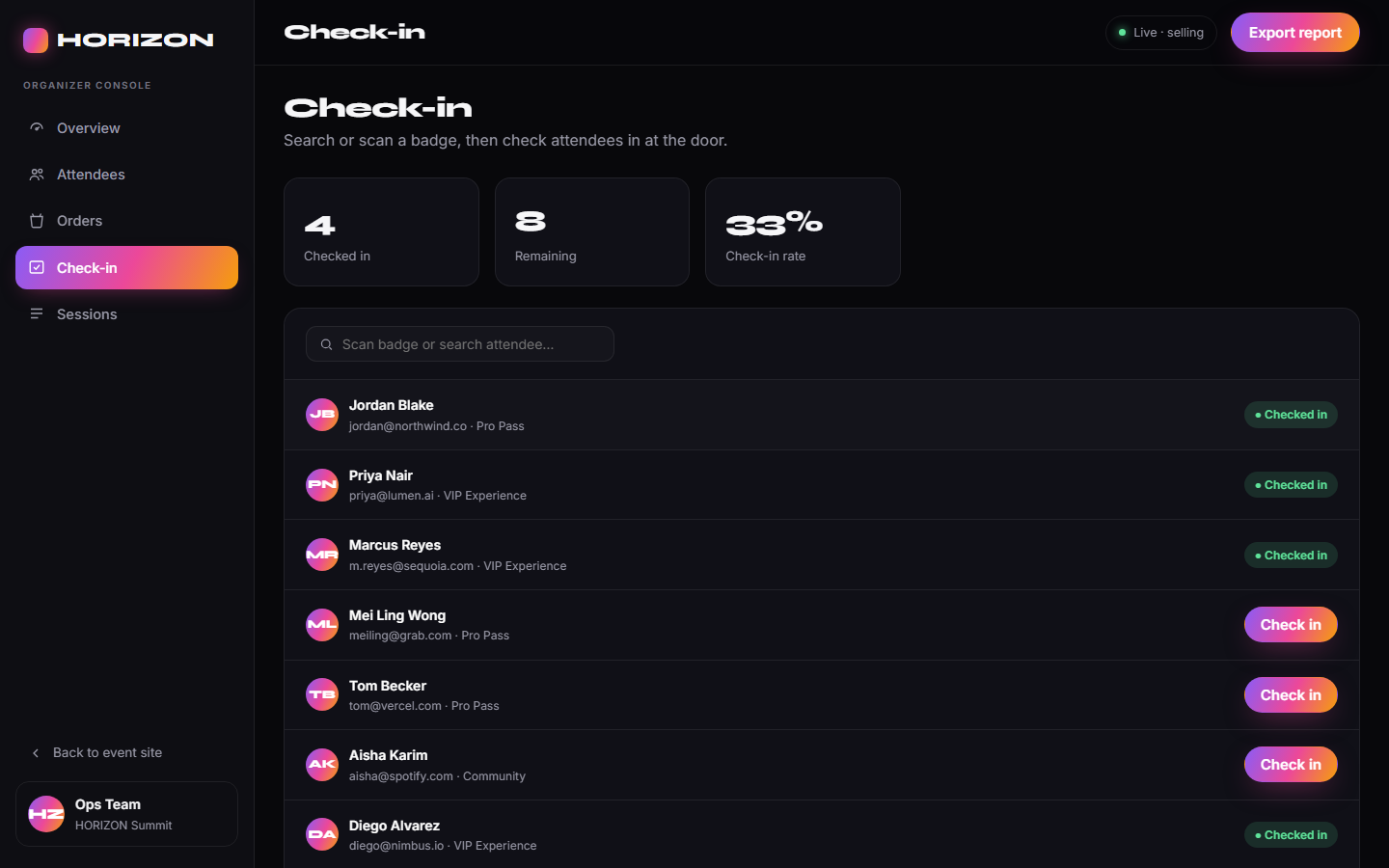
Door check-in tool
A live check-in console for the door — search or scan a badge, check attendees in with one tap, and watch the checked-in / remaining / rate stats update in real time.
- Search or scan a badge
- One-tap check-in
- Live checked-in / remaining / rate
- Status flows back to the attendee list
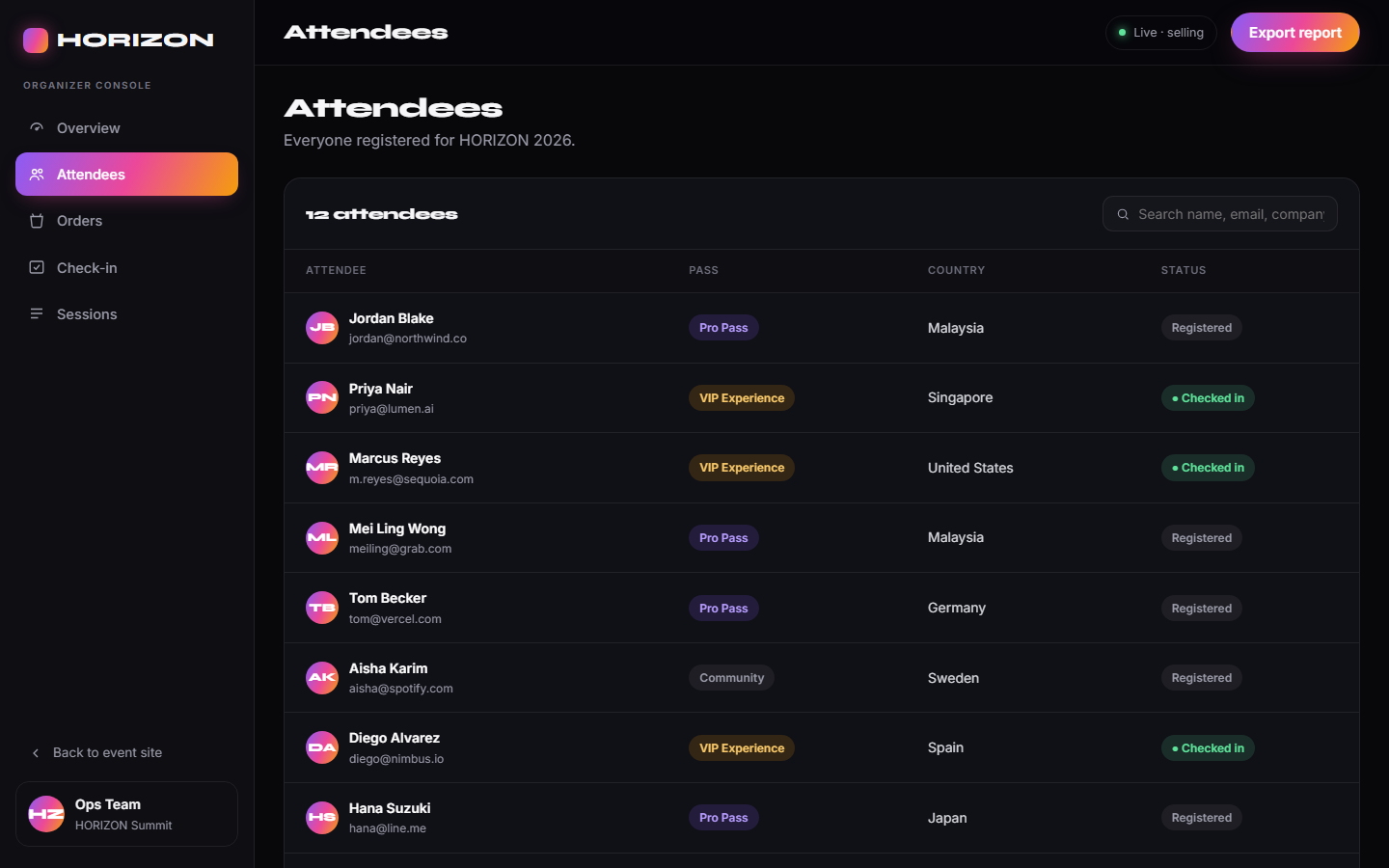
Attendee & order management
Everything the ops team needs behind the scenes — a searchable attendee directory with pass and status, a full orders ledger with paid / refunded states, and session-by-session capacity tracking.
- Searchable attendee directory
- Orders ledger (paid / refunded)
- Per-session capacity & registrations
- Pass tier and check-in status
8 features · 9 pages · live interactive prototype
Ready to Build Your Own Website?
We'll create a fully functional prototype like this one for your idea — delivered in minutes, not weeks.